Patient Forms
Clinician Forms
My Healthspot Patient Portal
INFO
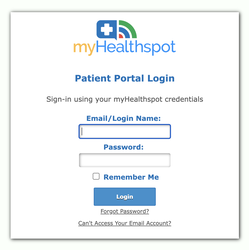
If you have received an invitation to log into our Patient Portal you can access it by clicking the link above.
"My Healthspot Patient Portal"
The portal is secure & HIPAA compliant.
Instructions for using the Patient Portal
Accessing Handouts (Documents) from Patient Portal
Log into Portal On the left side of the screen click on Dashboard
Click on View Handouts on the right side of the screen
Click on the orange pending Handouts
Click on EDIT once the patient Handout details opens for the
Informed Consent for Therapy and Tele-Therapy Services Form
Type your name in the first box
Click on SIGN when the box opens use the cursor to sign your name then SAVE
Click on TIMESTAMP
Then click on SAVE & COMPLETE at the top of Handout
Please confirm select YES then BACK
Credit Card on File Policy
Call the office to add your cc on file, or give to your provider on your first visit
Add last four digits of cc in text box
Click on SIGN when the box opens use the cursor to sign your name then SAVE
Click on TIMESTAMP
Then click on SAVE & COMPLETE at the top of Handout
Please confirm select YES then BACK
Therapy Cancellation/No Show Policy
Click on SIGN when the box opens use the cursor to sign your name then SAVE
Click on TIMESTAMP
Then click on SAVE & COMPLETE at the top of Handout
Please confirm select YES then BACK